
PROmapr® Software
Here you get an overview of the PROmapr® software and the individual functions.
Deviations between PROmapr® micro and PROmapr® max are marked.
GUI Übersicht

In the [Projects] tab, you organize your projects on the left and have your calendar in the same overview on the right. Use the + in the project list to create a new project. Click on the project thumbnail to start the project. In the calendar, simply click on the desired day and create a new calendar entry. You can then select and edit this in the menu under the calendar.


Settings
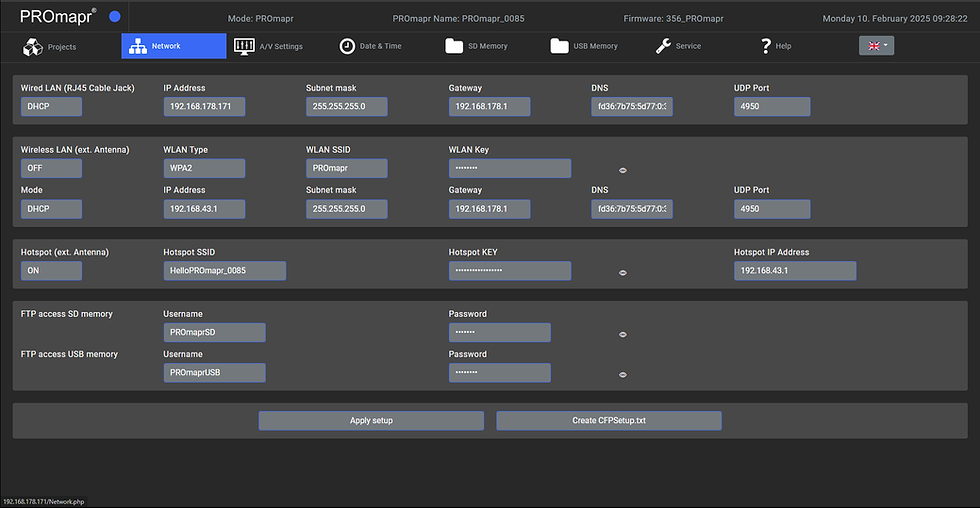
In the [Network] tab, you will find all the settings for network access and controlling your PROmapr®.
This is where you define the SSID for the hotspot, for example, or assign a username and password for FTP access.



Mapping & FX

On the [mapping board], you create your compositions by adding layers and linking them to content. On the left menu bar, you have all the important buttons for general editing functions and access to further menus.
In the lower menu bar, you have all the functions for editing the active layer.


